Change a background, color, or detail: three tested prompts.
See the original, inspect the result, and adapt a real test instruction to your own image.
01 / Keep → change → finish
In our tests, a plain green tote bag was the source. We asked for one change at a time: a terracotta backdrop, rust-orange fabric, or a small cream star. The examples below show those actual outputs. A preserve instruction helps express your intent but does not lock pixels, identity, lettering, or fabric texture.
02 / Use the cleanest source you have
Choose a sharp source with enough detail around your subject. Screenshots, clipped edges, and heavy compression make accurate edits harder. Upload images you own or have permission to use. Our lab accepts JPEG, PNG, and WebP, up to 10 MB each.
03 / Background replacement
The tested request kept the tote bag green and asked for a warm pale terracotta studio backdrop with a soft natural shadow. To adapt it, replace “tote bag” with your subject and choose a backdrop. Compare the cut edges, handles, and shadow at full size; a successful request can still redraw details.
04 / Color changes
The tested request changed forest-green bag fabric to deep rust orange while asking to preserve the shape and background. The output shows the color change, but fabric folds and texture can also shift. Name both the source object and target color. Exact brand colors and printed logos need manual inspection.
05 / Add a detail, then decide whether to keep it
The third request added a small cream embroidered star near the lower-right corner of the bag. The returned star is visible in the comparison. Replace it with the simple detail you want to explore. Exact placement is not guaranteed. Each voluntary new generation is another task, so revise the instruction before spending points again.
Actual test results and instructions
Own AI-generated source image and returned Seedream test outputs. These are examples, not a promise of identical results.
New background
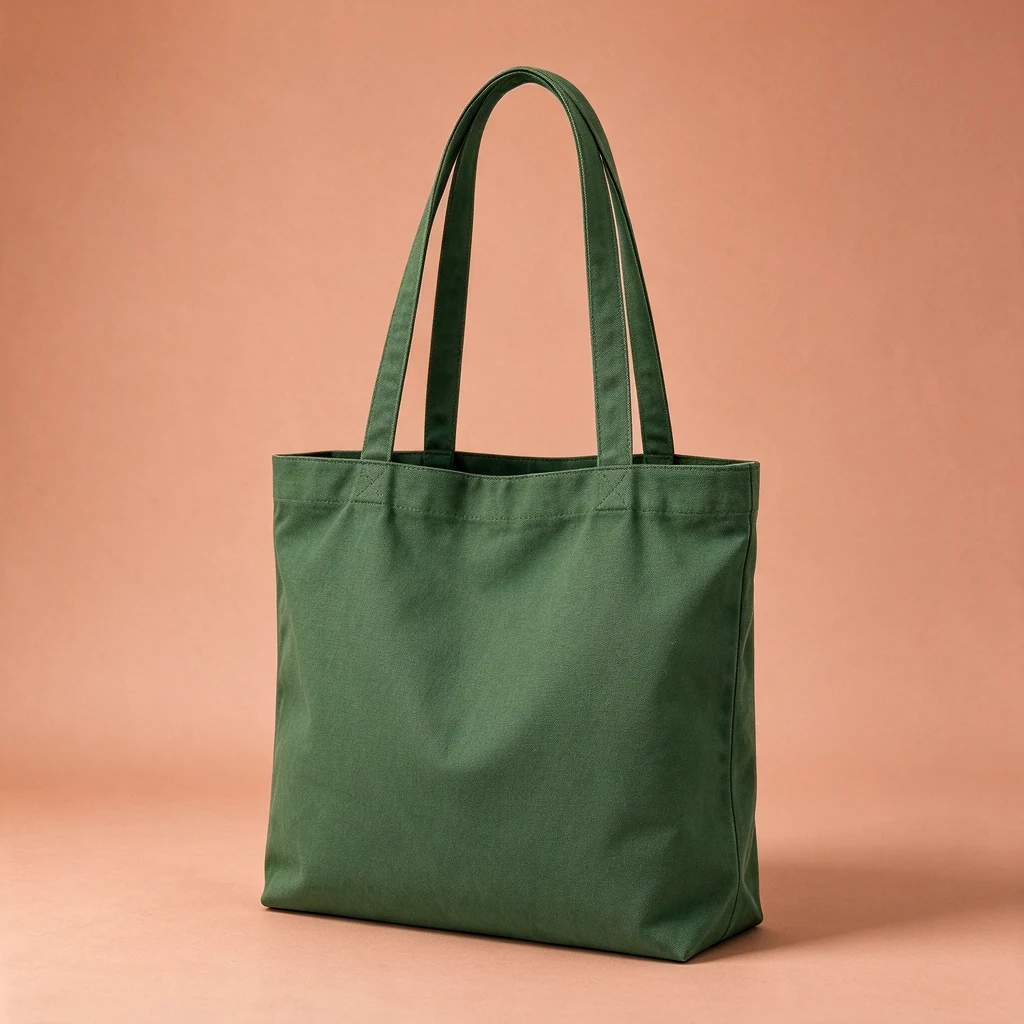
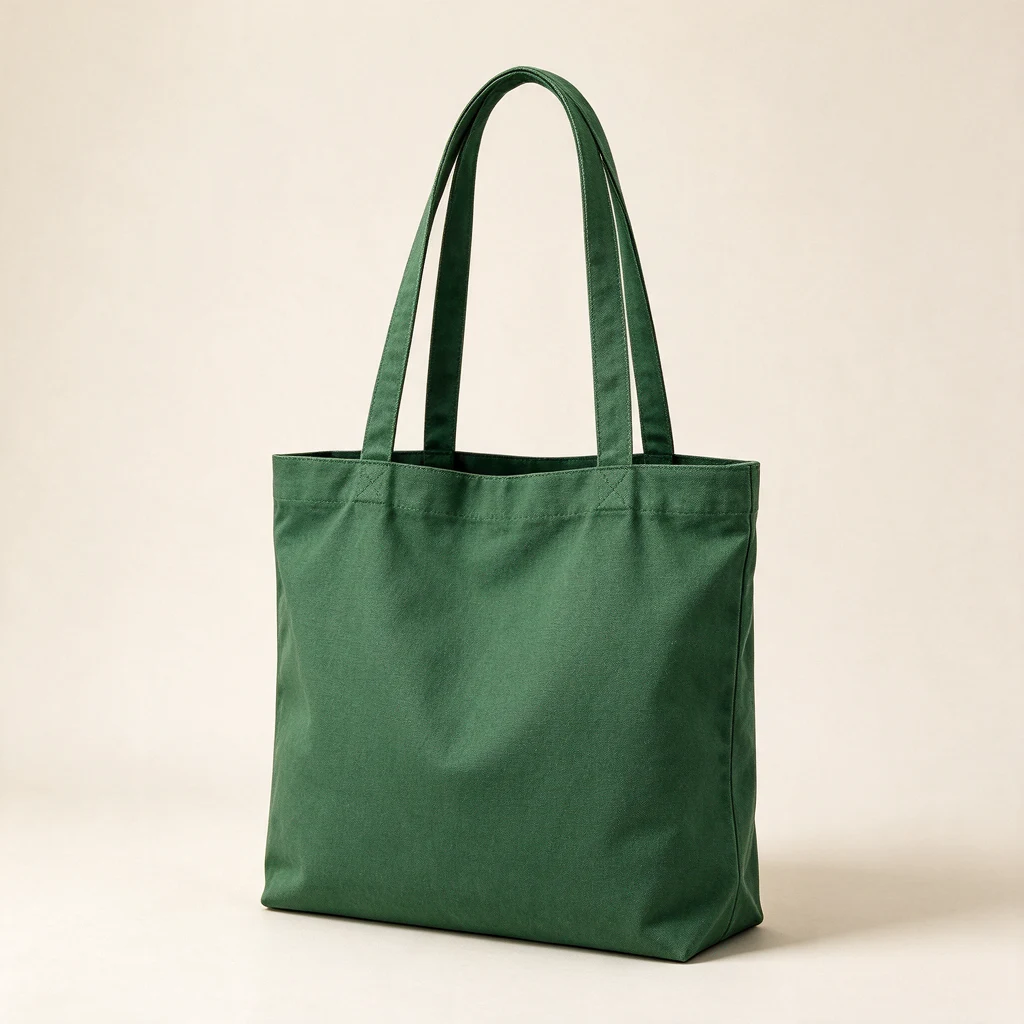 BeforeAfter
The backdrop changed. Inspect the edges, texture, and shadows before use.
Keep the tote bag shape, handles, fabric weave and green color unchanged. Change ONLY the background to a warm pale terracotta studio backdrop with a soft natural shadow. No text or extra objects.Prepare this edit in our independent Lab →
Change a color
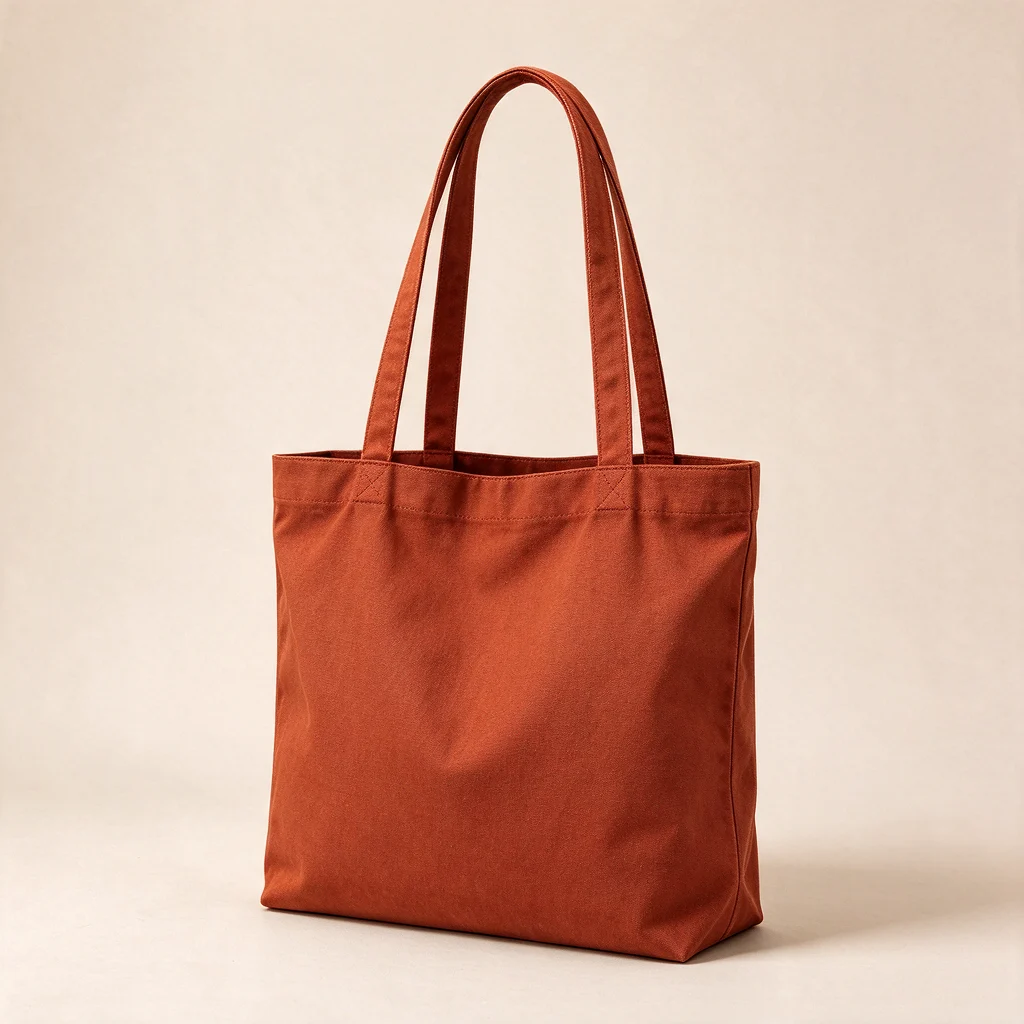 BeforeAfter
The fabric changed to rust orange. Fine folds and texture can also change.
Change the tote bag fabric from forest green to deep rust orange. Preserve the shape, two handles, stitching, fabric texture, framing and background. No text.Prepare this edit in our independent Lab →
Add a small detail
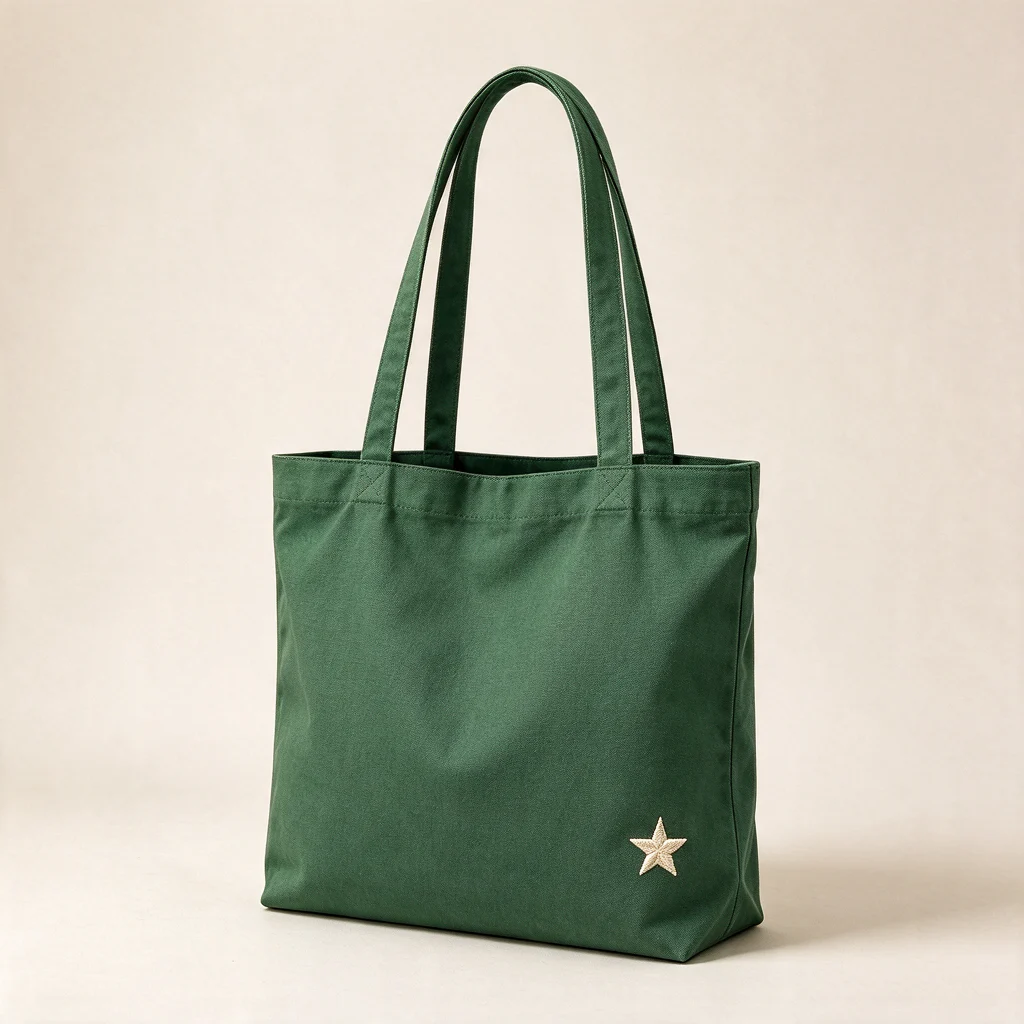 BeforeAfter
A cream star was added. Exact placement and small details may vary.
Keep the original tote bag and its two handles. Add a small neat embroidered cream star near the lower right corner of the fabric bag. Preserve the fabric texture and background.Prepare this edit in our independent Lab →
Continue with a related guide
Want to prepare an edit in our independent Image Lab?
Open our Image Lab