Early access/ Free guides, examples & image tools available. Public generation & purchases coming later.
OUR INDEPENDENT IMAGE LAB

Your image.
Make your next edit.

Explore a new background, color or detail in our image workspace.
No ArtCraft download or account is required. We are not affiliated with ArtCraft or Storyteller.

Browser workspace Real edit examples Clear point costs
PREPARE AN EDIT IN OUR IMAGE LAB

One image. A little more possibility.

A new backdrop, a different color, or one small detail. Pick a tested starting point and make the instruction your own.

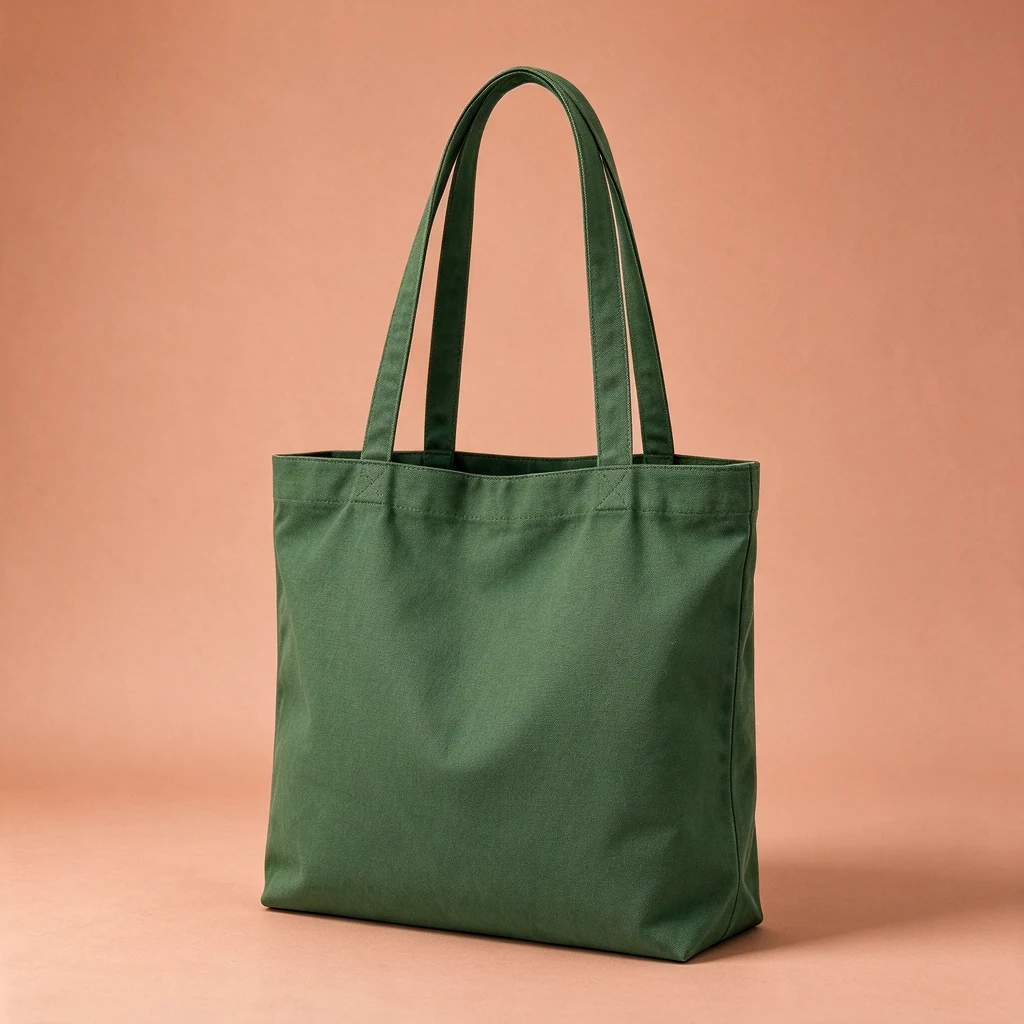
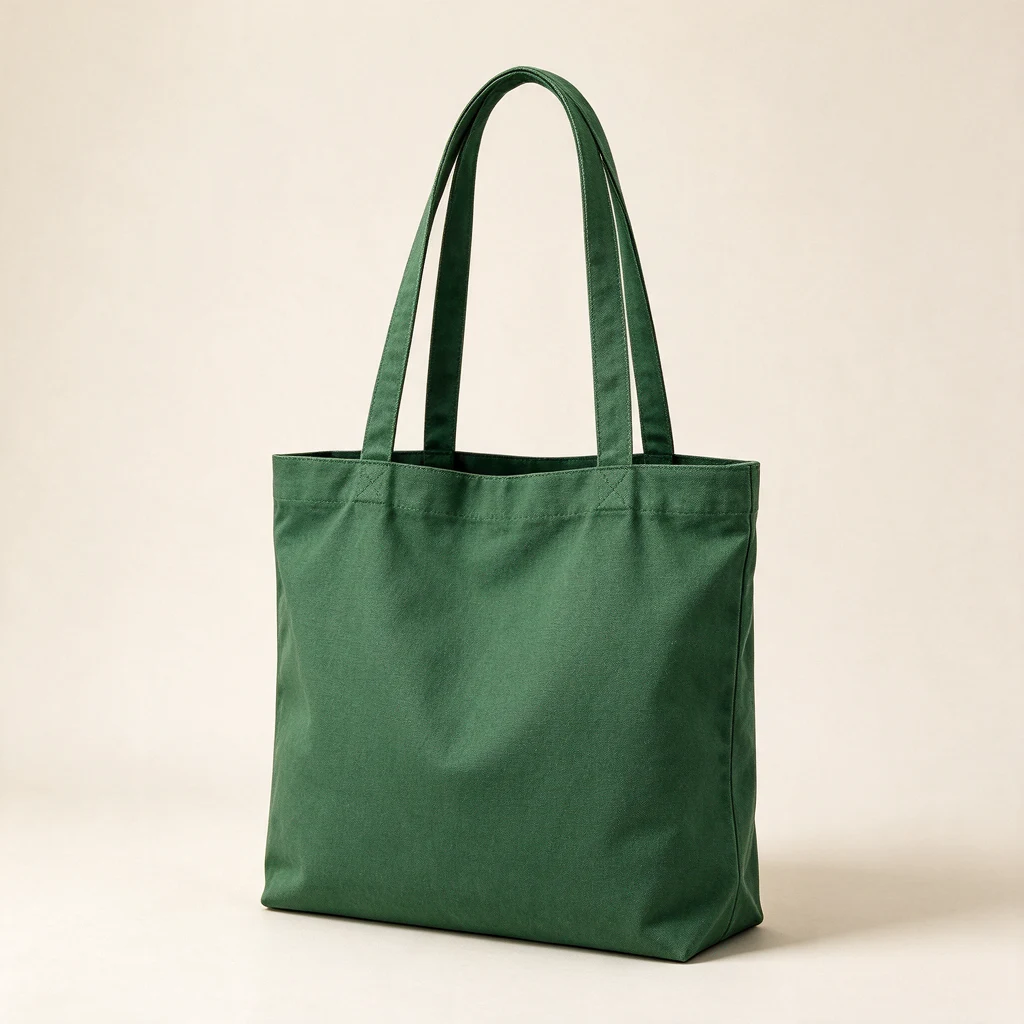
Test output: green tote bag on a pale terracotta backgroundOriginal test image: plain green canvas tote bag on an ivory backgroundBeforeAfter

Our own AI test images · Results vary

ONE IMAGE. ONE CHANGE.

A new setting for the same idea.

Try a different backdrop for an existing image.

This prompt matches the test shown. Replace “tote bag” and the other details to suit your photo.

Open in Image Lab Preview: prepare an edit and explore examples.
Public generation and purchases are not open.

Open our image workspace

Prepare a background, color or detail edit in your browser.

Open Image Lab →

Follow a clear workflow

Choose a workflow, write a clear instruction and check the result.

Read our editing guide →

Resize or convert a photo

Use our free browser utility to prepare and export an image.

Open the image utility →
SEE THE CHANGE BEFORE YOU START

See the edit. Keep the original in view.

Three requests, three visible changes. These are published tests, not a guarantee for every photo.

Test output: green tote bag on a pale terracotta backgroundOriginal test image: plain green canvas tote bag on an ivory backgroundBeforeAfter

New background

The backdrop changed. Inspect the edges, texture, and shadows before use.

Read the exact test prompt

Keep the tote bag shape, handles, fabric weave and green color unchanged. Change ONLY the background to a warm pale terracotta studio backdrop with a soft natural shadow. No text or extra objects.
Use this prompt
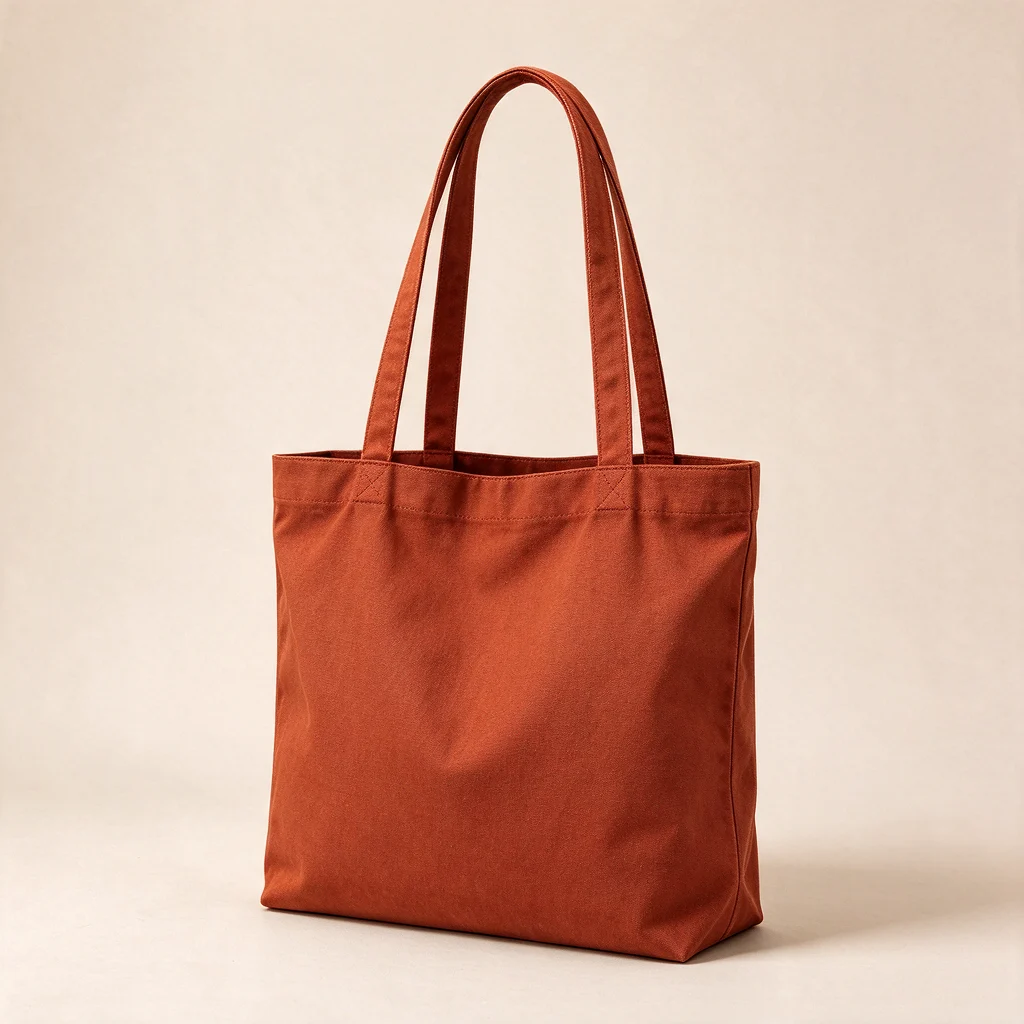
Test output: the tote bag regenerated in rust orangeOriginal test image: plain green canvas tote bag on an ivory backgroundBeforeAfter

Change a color

The fabric changed to rust orange. Fine folds and texture can also change.

Read the exact test prompt

Change the tote bag fabric from forest green to deep rust orange. Preserve the shape, two handles, stitching, fabric texture, framing and background. No text.

Use this prompt
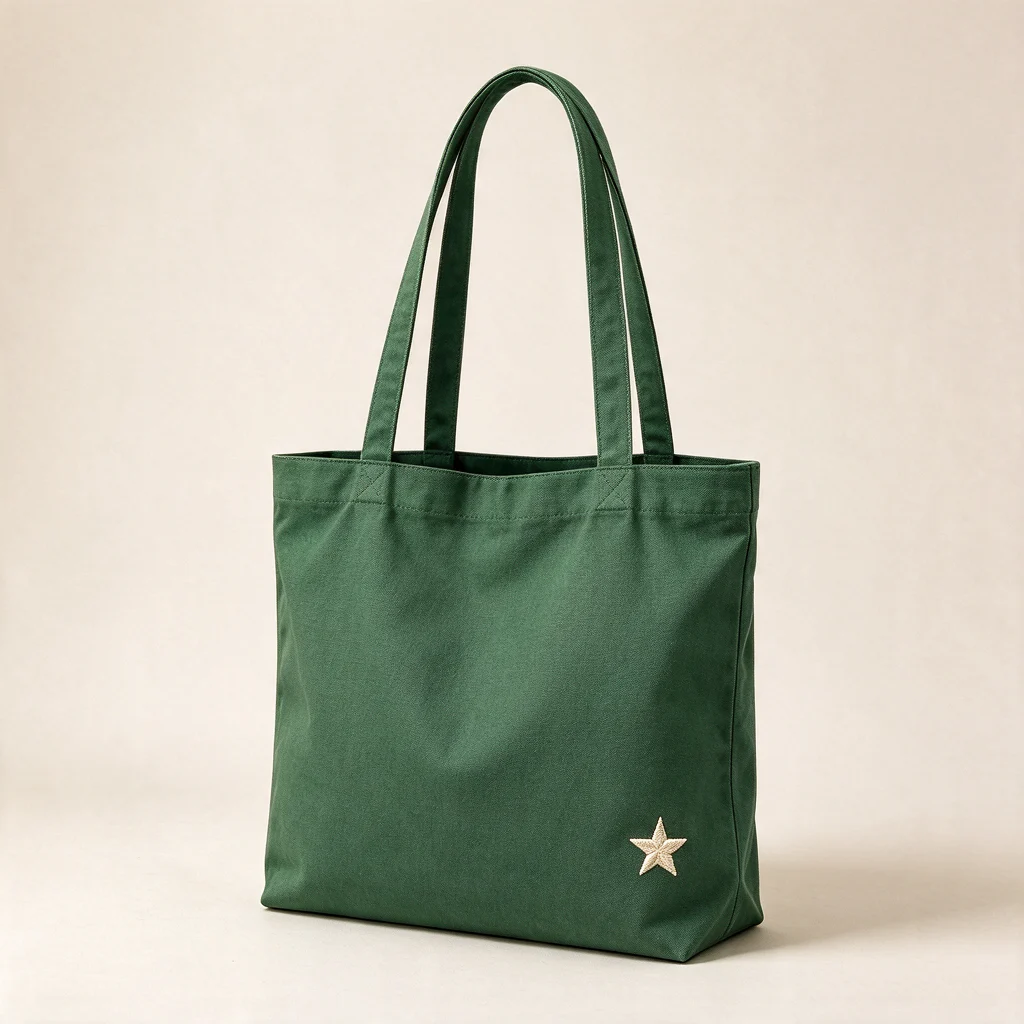
Test output: green tote bag with a small cream star addedOriginal test image: plain green canvas tote bag on an ivory backgroundBeforeAfter

Add a small detail

A cream star was added. Exact placement and small details may vary.

Read the exact test prompt

Keep the original tote bag and its two handles. Add a small neat embroidered cream star near the lower right corner of the fabric bag. Preserve the fabric texture and background.

Use this prompt
REAL PHOTOGRAPHS · ACTUAL APPLICATION TESTS

From test images to real photographs.

Two licensed photographs, two delivered background edits. Inspect the original and result before deciding whether this workflow fits your photo.

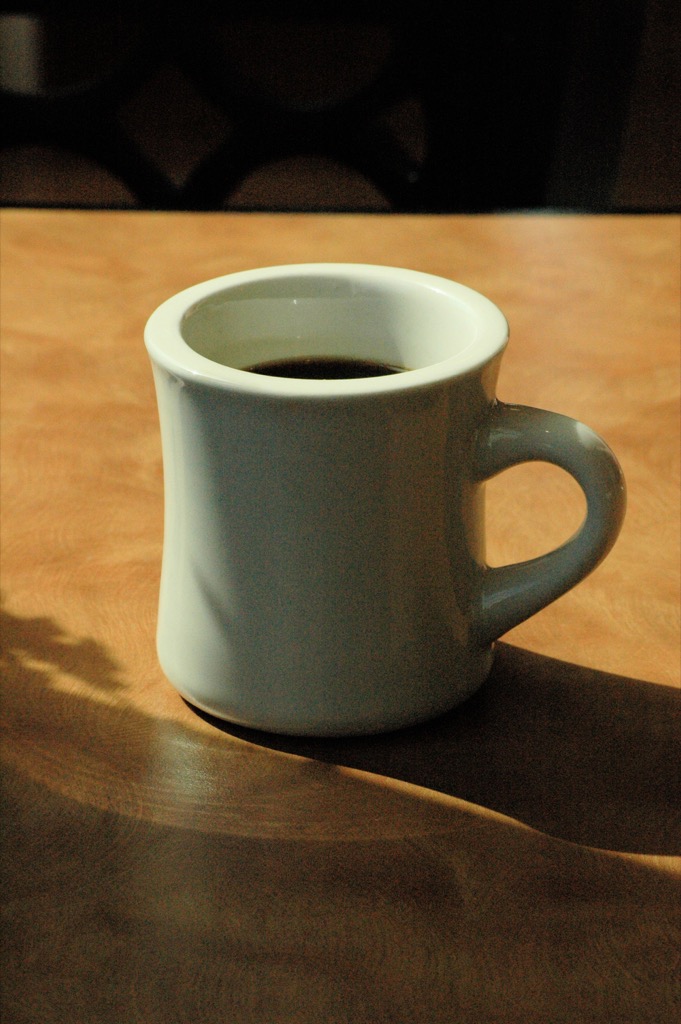
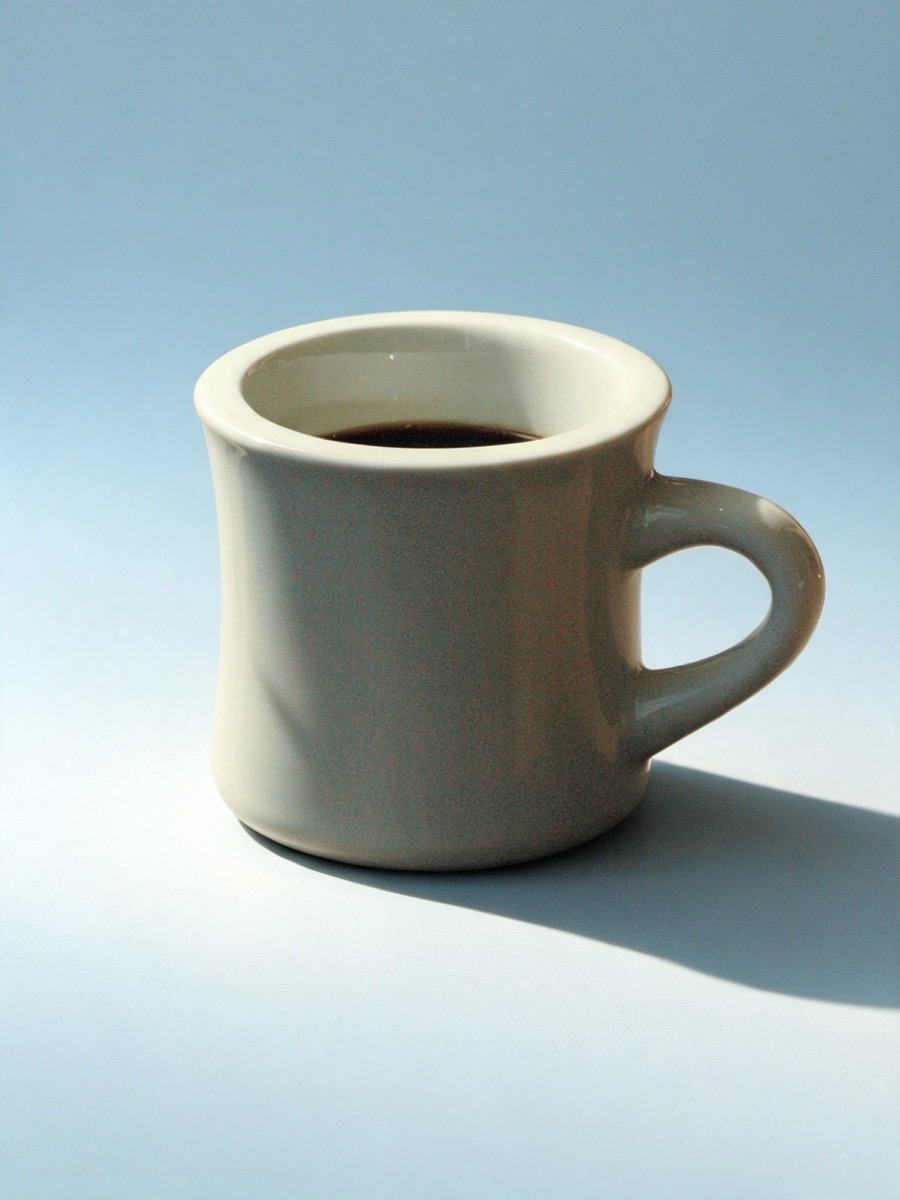
A real coffee mug photo

The wooden table became a blue studio background. The cup is recognizable, but the lighting, framing and fine rim details also changed.

Background variation · inspect details · no pixel-preservation guarantee
Exact test instruction

Keep the ceramic coffee mug, its handle, rim, coffee and original color as unchanged as possible. Change ONLY the surrounding background to a pale warm blue studio setting with a soft natural shadow. Do not add objects or text. Do not alter the subject details.

Source: Adam S. Keck · CC BY-SA 4.0. Original resized; background regenerated. Both displayed derivatives are available under CC BY-SA 4.0. No affiliation or endorsement.

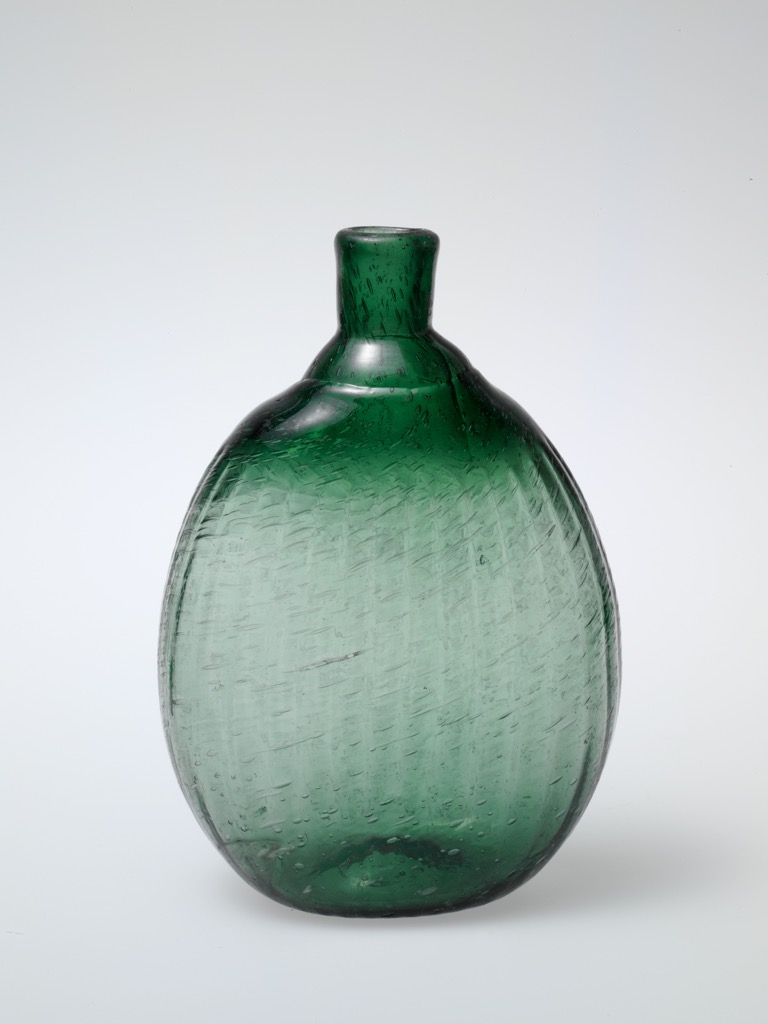
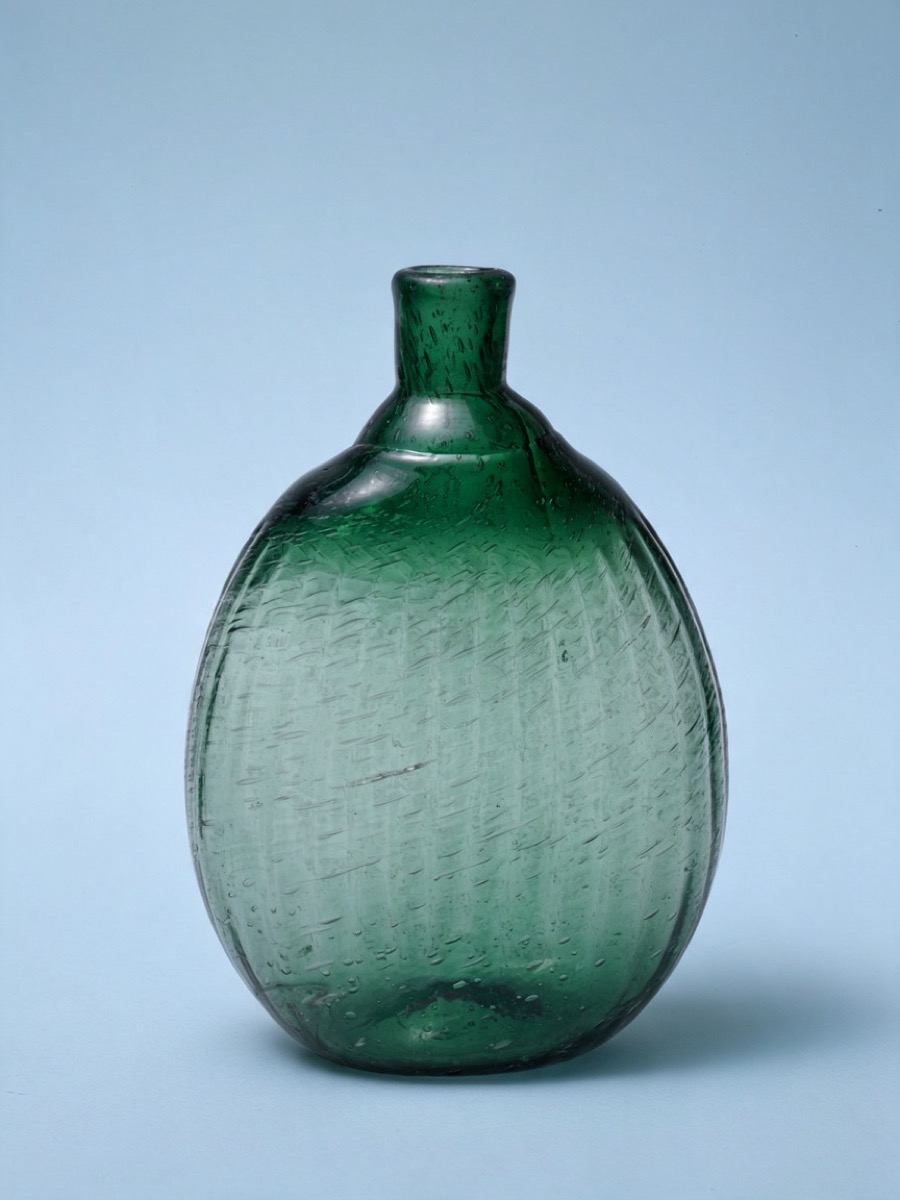
Glass and fine surface texture

The background changed and the glass silhouette remains recognizable. Fine surface marks were redrawn. This result is not an exact record of the original object.

Background variation · inspect details · no pixel-preservation guarantee
Exact test instruction

Keep the green glass bottle, its exact outline, narrow neck, bubbles, green color and surface texture as unchanged as possible. Change ONLY the surrounding background to a pale warm blue studio setting with a soft natural shadow. Do not add objects or text. Do not alter the subject details.

Source: The Metropolitan Museum of Art · CC0 1.0. Original resized; background regenerated. Source photograph released under CC0. No affiliation or endorsement.

These tests used 1K output and one request per photograph. They do not establish a general success rate for logos, lettering, faces or 2K images. If exact product details matter, use a masked or conventional editor.

THE WORKFLOW

From your photo to a new version.

Three steps when generation opens. No account needed to browse examples or prepare a prompt.

1

Add your image

Choose a JPG, PNG, or WebP photo you have permission to use.

2

Choose one change

Start from a tested prompt, then edit the subject, color, or background.

3

Generate & review

Compare the result, check its details, and download the version you want to keep.

WHAT YOU PAY FOR

Image generation.
No subscription.

Guides and the browser image utility are free. Planned Image Lab packs pay for new AI images, not for ArtCraft software.

1 point · text-to-image or one-image edit
2 points · edit with 2–4 reference images

See the full pricing & rules
Starter

$9.90 one-time

60 points
Up to 60 single-image requests
OR 30 multi-image requests

12 months · Preview pricing

Points pay for requests, not a guaranteed number of usable images. Mixed tasks reduce both maxima. A new variation uses points again. Technical failures or blocked delivery release reserved points. Unconfirmed provider requests remain reserved while we investigate. Results vary.

HELP FOR YOUR NEXT IMAGE EDIT

Practical guides for our Image Lab.

Tested prompts, workflow limits and help with your points. Third-party ArtCraft references are identified in the guides.

All guides

Questions, answered.

Is this the official ArtCraft website?

No. This is our independent Image Lab, using Seedream 5.0 Flash via KIE. We are not affiliated with ArtCraft or Storyteller. Third-party ArtCraft references are identified in our guides; accounts and points are separate.

Do I need to download ArtCraft to use Image Lab?

No. Our workspace runs in your browser. You do not need an ArtCraft installation or account. Use an account on this site to access your Image Lab tasks and points.

Will the rest of my image stay exactly the same?

That is not guaranteed. A prompt can ask to preserve details, but the model creates a new image. Inspect text, faces, logos, colors, and edges before publishing it.

What can I use in this preview?

You can compare tests, choose a prompt, prepare an edit in the workspace, read the guides, and use the free browser converter. Public cloud generation and paid purchases are not open yet.